When I started this blog, I’d decided to use Bluehost to host my custom self-hosted WordPress blog. Why? Because when I Googled it, Bluehost came up as the top result. Looking back, I think Bluehost had bought ads for that Google query, and Google showed its ad at the top.
Over the years, I realized Bluehost was subpar in terms of performance. My blog was intermittently unavailable due to various server issues at their end. And when it was available, the page load speeds were still sluggish. Overall, I was consistently getting poor performance.
Eventually, this led me to abandon Bluehost and move my site to WordPress.com.
The process was fairly straightforward. I went to my Bluehost WordPress site and exported my data via Tools → Export. This generated an XML file, which can then be imported into your new WordPress.com site. The XML file doesn’t contain images—instead, it includes their URLs.
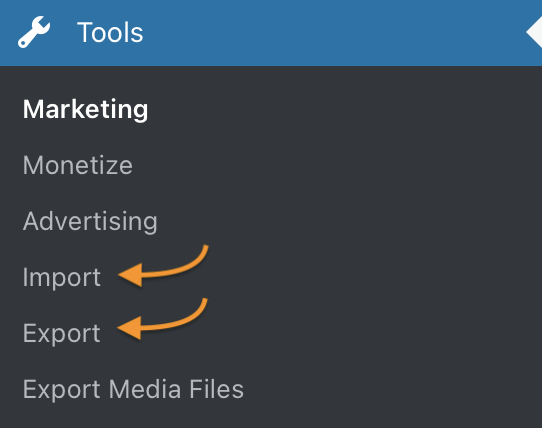
At my WordPress.com site, I simply imported the previously generated XML file via Tools → Import. It took care of the rest, including fetching and uploading images to the new site. That’s why it’s imperative to keep the old site active—including the domain name—until all your data is imported and verified.
To transfer my domain from Bluehost to WordPress.com, I had to follow two steps:
- Disable the transfer lock
- Get the Transfer Authorization / EPP Code
Disabling the transfer lock was straightforward. You can toggle this setting easily in Bluehost’s domain settings section.
Getting the EPP code took a bit more time. When I first generated the EPP code from Bluehost and entered it into WordPress.com, I got an error saying the code was invalid. I tried a few times, even manually typing it to avoid any copy-paste errors with hidden characters, but I still couldn’t proceed. I finally reached out to Bluehost’s chat support. They gave me a different EPP code, which did work. It took a few days for the domain to be fully transferred to WordPress.com.
Once the domain was transferred, I linked it to my new WordPress.com site—and I was done.
 naveegator.in
You must be logged in to post a comment.